
THIS ARTICLE WILL HELP YOU:
Integrate Yahoo Stores
If you want to integrate Convert Experiences to the Yahoo Stores (Legacy version) please follow the instructions below.
Step 1 - Store Editor
On you dashboard of Yahoo Store Legacy there is a link to the Store Editor (see image below) click this and you will be going to edit Variables.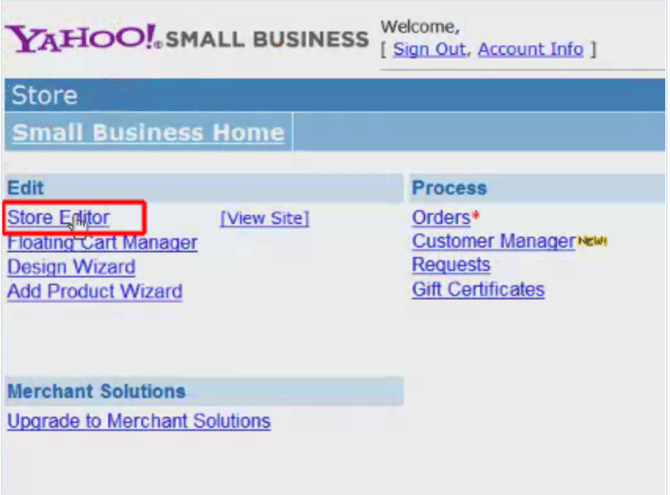

Step 2 - Edit Variables
When clicking on Store Editor you will see the template of your store (the design). Scrolling to the bottom will show a menu with one of the buttons “Variables” that’s the one you need to click to add the Convert Experiences code (also see image below).


Step 3 – Edit Head-tags
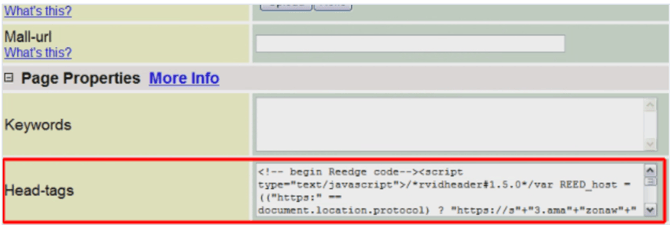
You see a page with many options and scroll down to Page Properties and you will find the option of Head-tags there (see image below). On that location you paste the Convert Experiences code you can find in your Project Settings:
Publish your changes.