
THIS ARTICLE WILL HELP YOU:
Understand Project Configuration
To manage your project there are several sections we have added to the project configuration.
-
General Settings
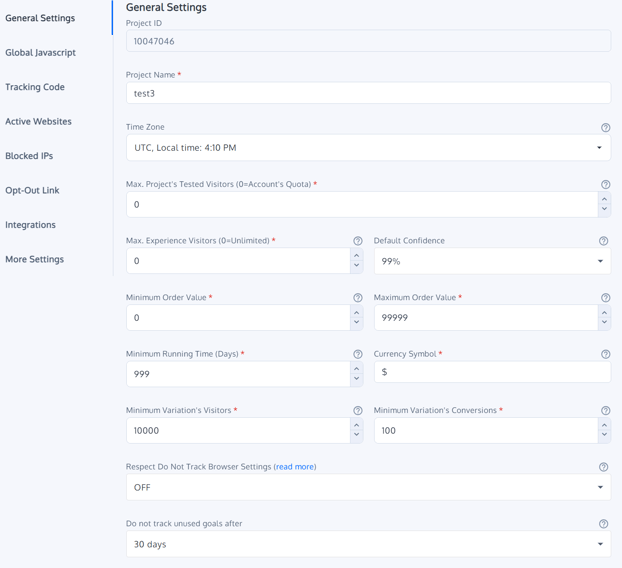
The project name, as well as the time-zone, can be edited here. The timezone that you set here will apply for project timezone-based goals and the definition of the audience. The reporting dashboard will also follow this timezone.
Defining values
-
- Project ID: A non-editable project ID assigned by the convert app.
- Project Name: You can choose a project name of your choice or even modify it at any point of time.
- Timezone: The timezone that you set here will apply to project timezone-based goals and the definition of the audience.
- Max. Project's Tested Visitors (0=Account's Quota): Maximum number of tested visitors that is allowed to be collected through this project.
- Max. Experience Visitors (0=Unlimited): Default Maximum Number of Visitors allowed to go through an experiment; after reaching this point, the experiment is automatically paused. High-traffic experiences will get slightly more visitors than the limit set.
- Default Confidence: For normal tests, 95% confidence is the standard, but for mission-critical experiments best to choose 99% confidence.
- Minimum Order Value: Minimum Order Value so that the transaction is not considered an outlier.
- Maximum Order Value: Maximum Order Value so that the transaction is not considered an outlier. The default value here is 9999.
- Minimum Running Time (Days): Minimum number of days an experience runs until any decision is being made. The default value is 999.
- Currency Symbol: This is used to display currency amounts inside reports. The default value is $ here.
- Minimum Variation's Visitors: The minimum number of visitors needed for a variation inside an experiment before we start calculating statistical significance. The default value is 10000.
- Minimum Variation's Conversions: Minimum number of conversions needed for a variation inside an experiment before we start calculating statistical significance. The default value is 100.
- Respect Do Not Track Browser Settings: This is OFF by default.
- Do not track unused goals after: If set to 'immediately,' goals will be tracked indefinitely. Otherwise, unused goals will stop being tracked after the selected number of days. By default, it is set to 30 days.
Other configurations
-
Global Project Javascript
Convert allows you to include a JS snippet in your Project. This means that all the pages that have the Convert tracking code installed will have the snippet included. The snippet would be included just like any other library that you include on your web page.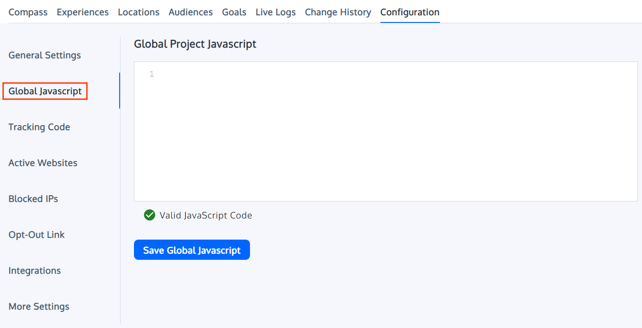
-
Convert Tracking Code (JavaScript)
Get the code you need to paste on your site for the software and experiment to work.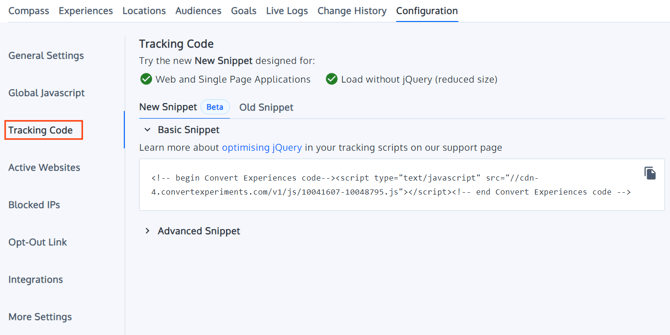
-
Active Websites
The domains you would like to use inside the project. Make sure you always add new domains here when you add JavaScript to any site. Not adding the domain will not trigger recordings of visitors and prevent experiments from working.
We now support wildcards in your "Active Domains" settings. For example, if you want to include all subdomains under "domain.com", you should set up the "Active Domain" entry like this: "http://*.domain.com".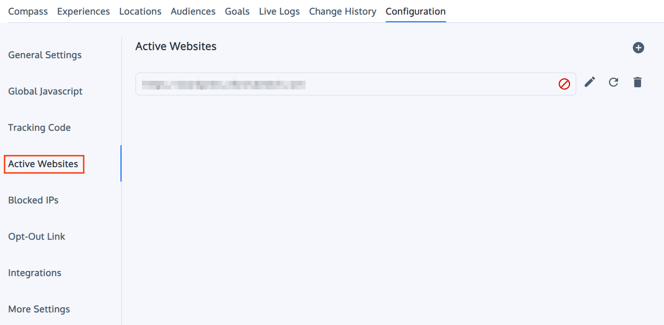
-
Blocked IPs
Add one or a full range of IPs you would like to block in the project. Blocking IPs prevents counting stats (visitors and conversions) but allows users to see experiments or previews. You can also block IPs on your whole account. Please read more information in this article.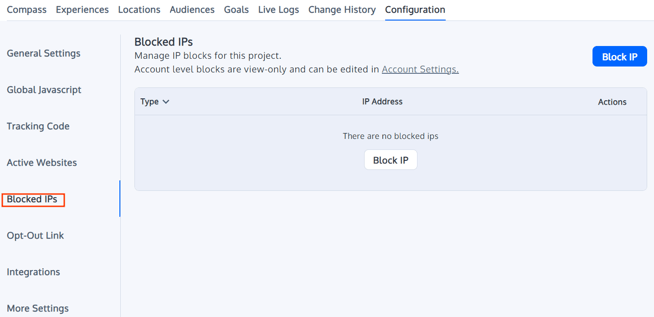
-
Opt-Out Link
If you would like to exclude yourself or your team from also seeing the experiments, you would need to opt out of Convert Experiments: https://www.convert.com/opt-out/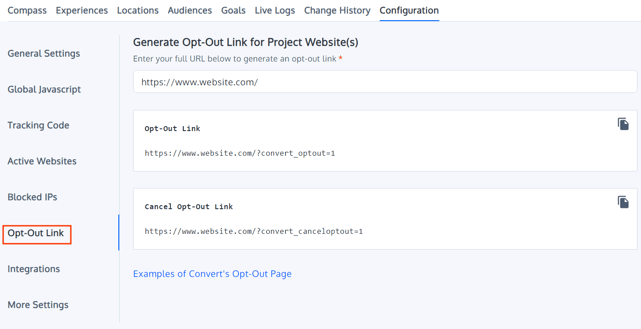
- Integrations
Besides Plugins, Convert Experiments has out-of-the-box integrations with Google Analytics (custom variables and revenue tracking) and Kissmetrics. These one-click integrations can be managed in this area.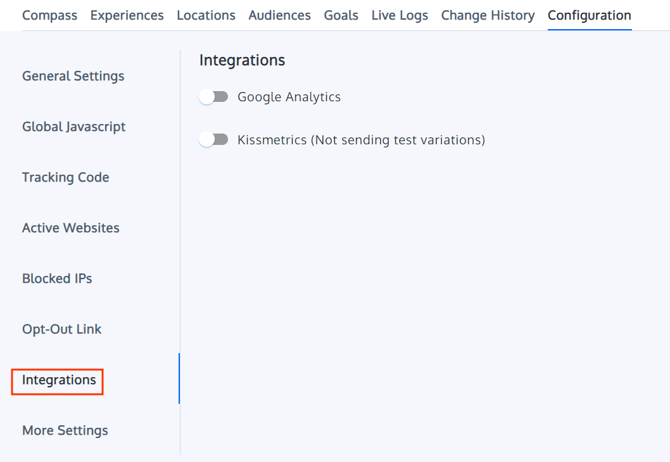
- More Settings
In the More Settings section, you can find additional settings for your project.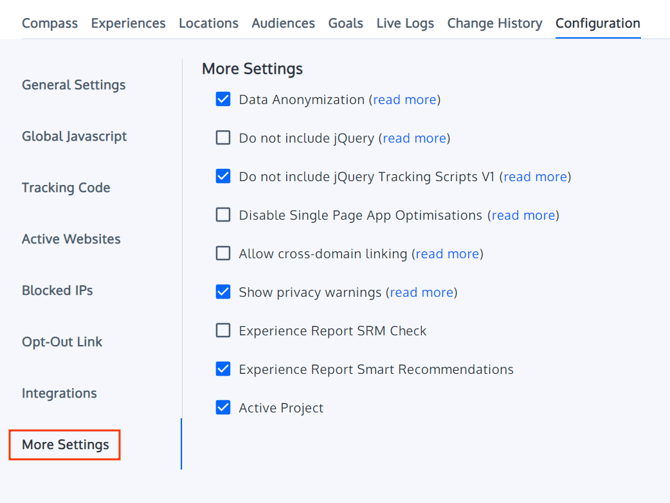
-
Disable Automatic Experience Completion in Project
The Disable automatic experience completion in project setting allows project administrators to prevent Convert from automatically completing any experience within the project. You can find this option in Project Configuration > More Settings. It appears as a checkbox labeled Disable automatic experience completion in project.
This setting is useful for teams that need full manual control over when experiences are completed, such as agencies or mature CRO teams with internal review processes, multiple goals, business metrics, or external decision-making criteria that must be considered before an experience is marked as completed.
When this setting is enabled, Convert’s automatic completion logic will not complete any experience in the project, even if an experience reaches statistical significance or meets another auto-completion condition. Instead, when an experience meets the criteria for completion, Convert will surface the completion option in the experience’s dropdown menu so the team can complete it manually when ready.
This setting only prevents automatic completion. It does not prevent an experience from being automatically paused. For example, an experience will still be paused when it reaches its maximum visitors limit or when its scheduled end date is configured with the Pause action.
If this setting is later disabled after being enabled, any experiences that already met auto-completion criteria while automatic completion was blocked may be automatically completed once the block is removed. By default, this setting is off for all new and existing projects unless it is explicitly enabled. This preserves the current automatic completion behavior unless a project administrator chooses to disable it.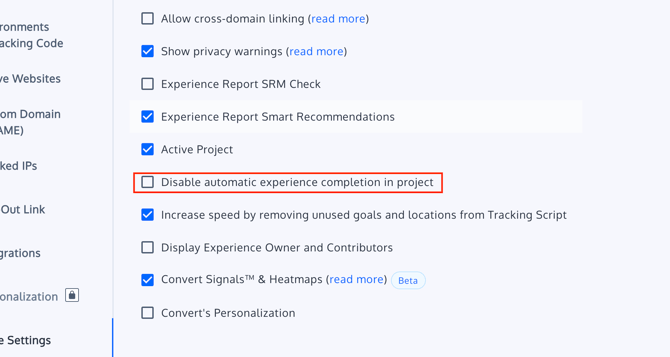
📒Note: Confirm the exact permission level required to toggle this setting before publishing. The current expected audience is project administrators, but this should be verified with Product or Engineering.